Connected Websites
🌐 What are connected websites?
Every Roundtable space comes with a built-in Search Bar and AI Answers that helps members quickly find posts, resources, and members.
🛠️ How it works
Connected websites take the Search Bar and AI Answers a step further by indexing content from external websites — think your organization's public website, a partner's resource library, a government data portal, or any other URL that holds information your members need!
Once a site is connected, its content appears alongside your space's native content in search results and AI Answers results. Members get one unified search experience instead of jumping between tabs.
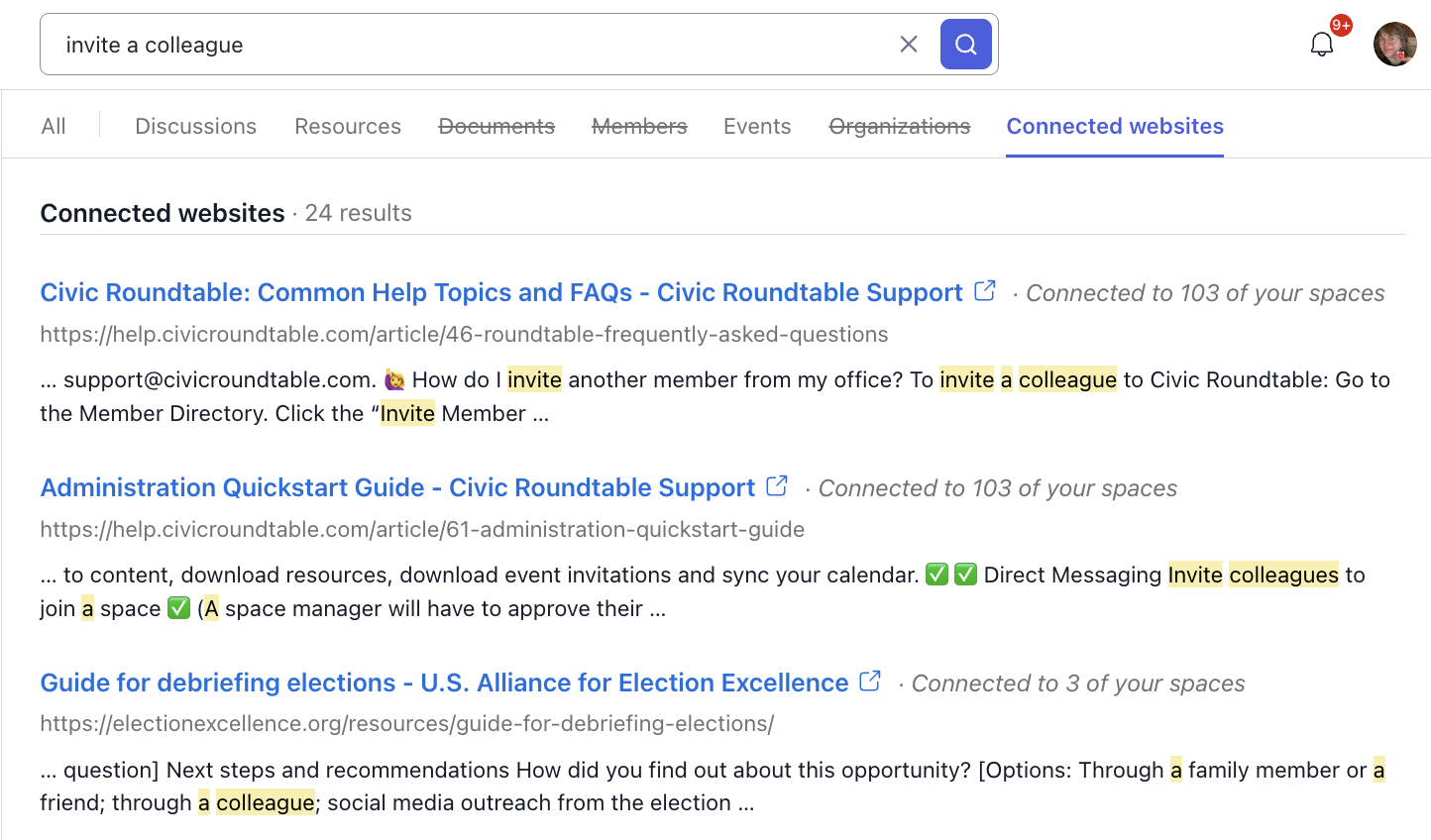
The Search Bar References Roundtable's Help Center (an external connected website) in this thread.
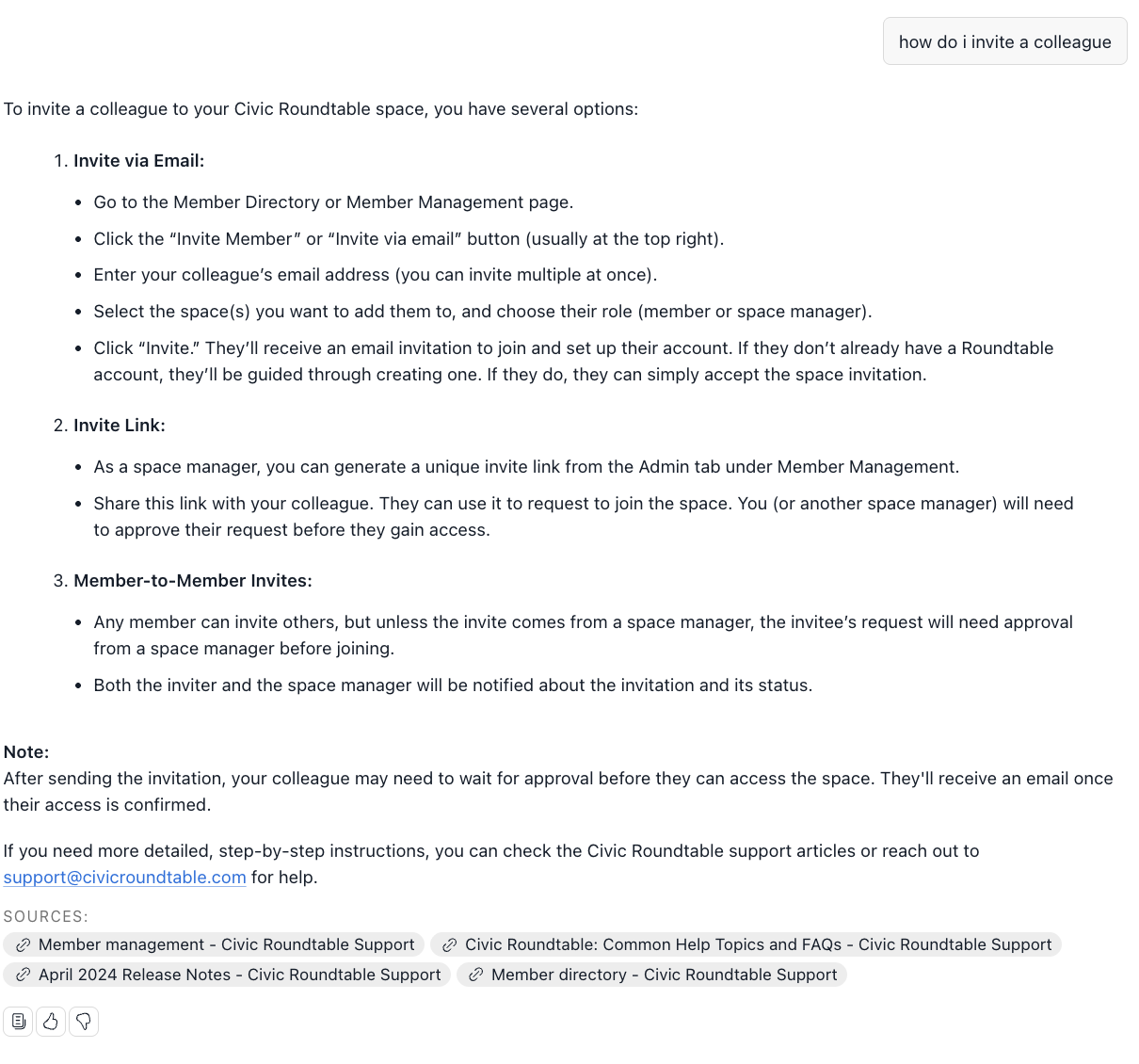
✅ Replacement text
Space Managers can connect a website themselves, from space admin. No support request needed.
- Identify the website you want to connect. Think about where your members regularly go for information outside of Roundtable — your organization's public site, a partner's resource library, a state or federal data portal. Those are your candidates.
- Add it in space admin. Go to Admin → Integrations → Connected websites and add the URL.
- Roundtable indexes the site. We crawl the publicly accessible pages so their content becomes searchable within your space.
- Members can search it right away. Content from the site surfaces in your space's search results and in AI Answers, clearly attributed to its source.
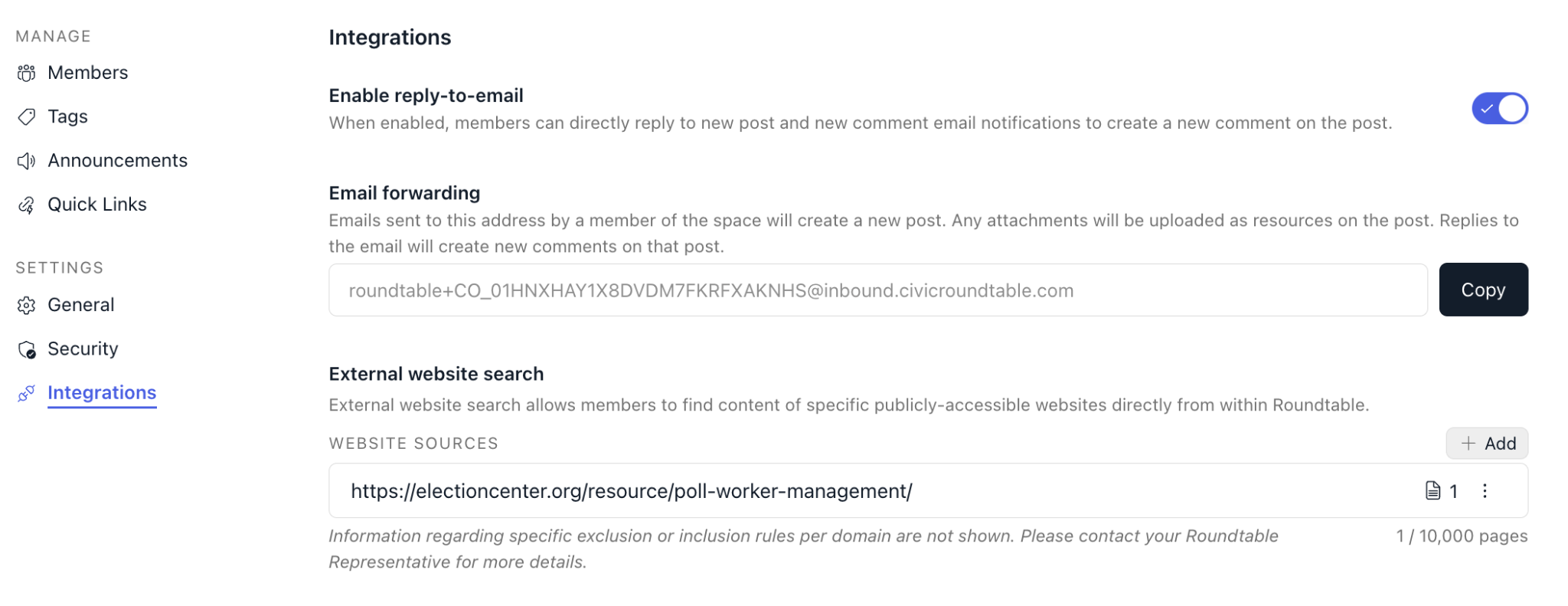
Seeing what's indexed
Each connected website has a connected pages view listing every page that's been indexed — so you know exactly what will show up in search and AI Answers before a member finds it.
There's a limit of 10,000 indexed pages per space.
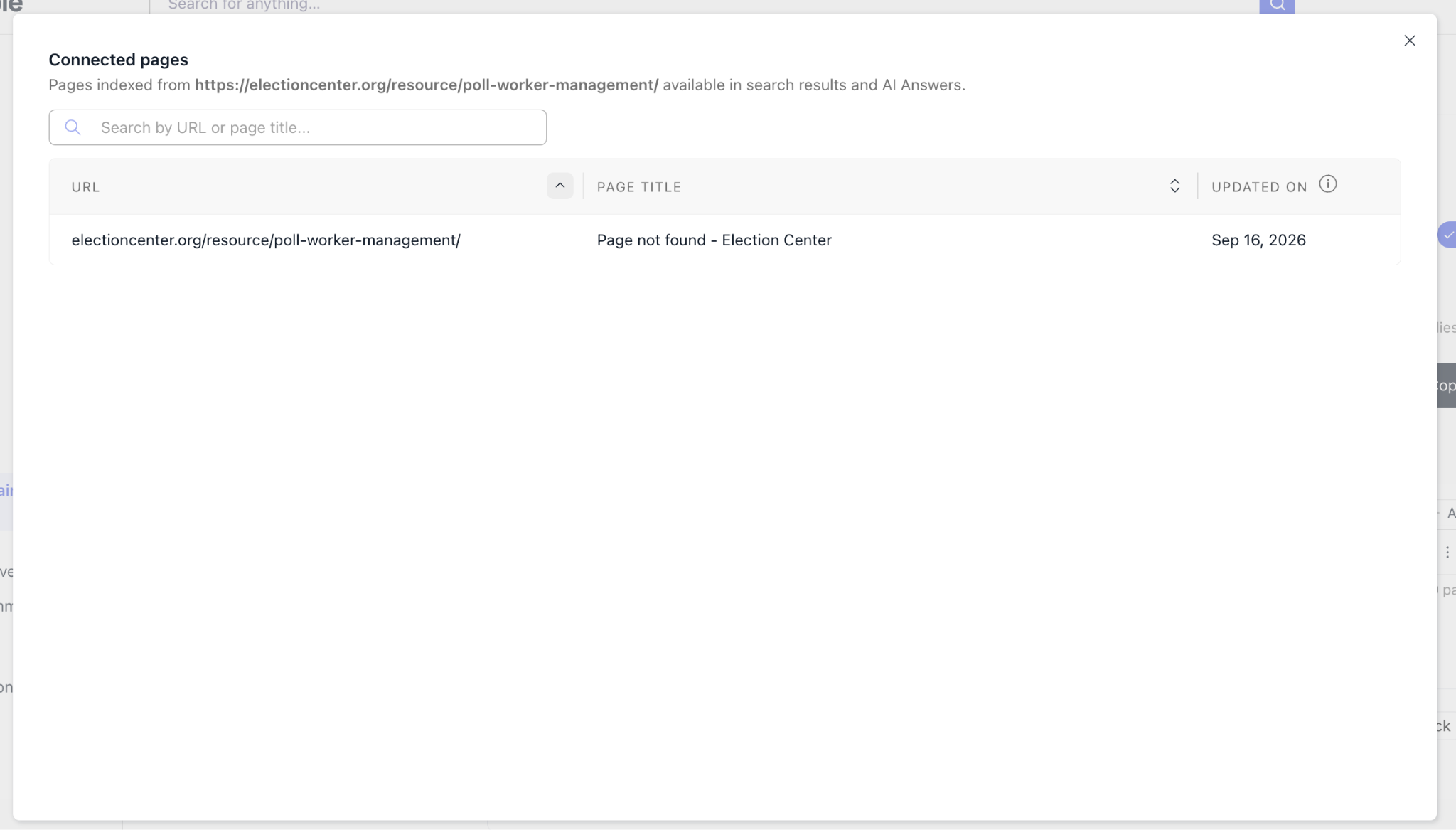
| ✨ RT Tip: Check the connected pages view after adding a large site. A site with a sprawling archive can consume a lot of your page budget on content nobody needs — and reviewing the list is how you find out before it crowds out something useful. |
Adding a site while you're doing something else
You don't have to start in the Integrations tab. When you add a Quick Link or an external resource link, you can add that site to External Website Search in the same flow.
| ✨ RT Tip: This is the easiest way to keep search coverage aligned with what you're actually pointing members at. If a site is worth a Quick Link, it's usually worth making searchable. |
🔍 Where to find this setting
Space Managers manage connected websites under the admin tab:
Admin → Integrations → Connected websites
From here you can add a website, review everything currently connected, see the indexed pages for each site, and remove a site you no longer want searchable.
| ✨ RT Tip: Only Space Managers and organization admins can see the Integrations tab. Members won't see this configuration area — they'll just see richer search results. |

Admin → Integrations → Connected websites
This section lists all websites linked to your space's search. From here you can review what's connected, but adding or removing sites requires working with Roundtable support.
✨ Roundtable Tip: Only space managers and organization admins can view the Integrations tab. Members won't see this configuration area — they'll just see richer search results. ✨
What members experience
When a member searches in your Roundtable spaces or uses AI Answers, results from connected websites appear alongside posts and resources from your space. Each result clearly shows where it's coming from (your space content vs. an external source) so members always know what they're looking at and where to go for more.
There's no additional setup required from members. Search & AI Answers works the same way it always has, it just covers more ground!
✨Roundtable Tip: Connected websites pull in publicly accessible content. If a website requires a login to view its pages, that content won't be indexable. Make sure the site is publicly accessible before requesting a connection. ✨