April 2026 Release Notes
Features, enhancements, and fixes released by Civic Roundtable in April 2026.
Highlights
Per-space notification preferences
Members can now customize their email notification preferences separately for each space they belong to, rather than having one set of preferences applied across every space.
When deleting or archiving a resource, you can now specify a "replacement" — so if you're archiving V1 because V2 now exists, you can link them up and make navigation easier for members.
This month brought a variety of CRM upgrades aimed at making person and organization tracking more powerful and collaborative — including rich text in notes, file attachments, @ mentions with email notifications, subscriptions, and the ability to reply to email notifications to add notes back to a thread.
Per-space notification preferences
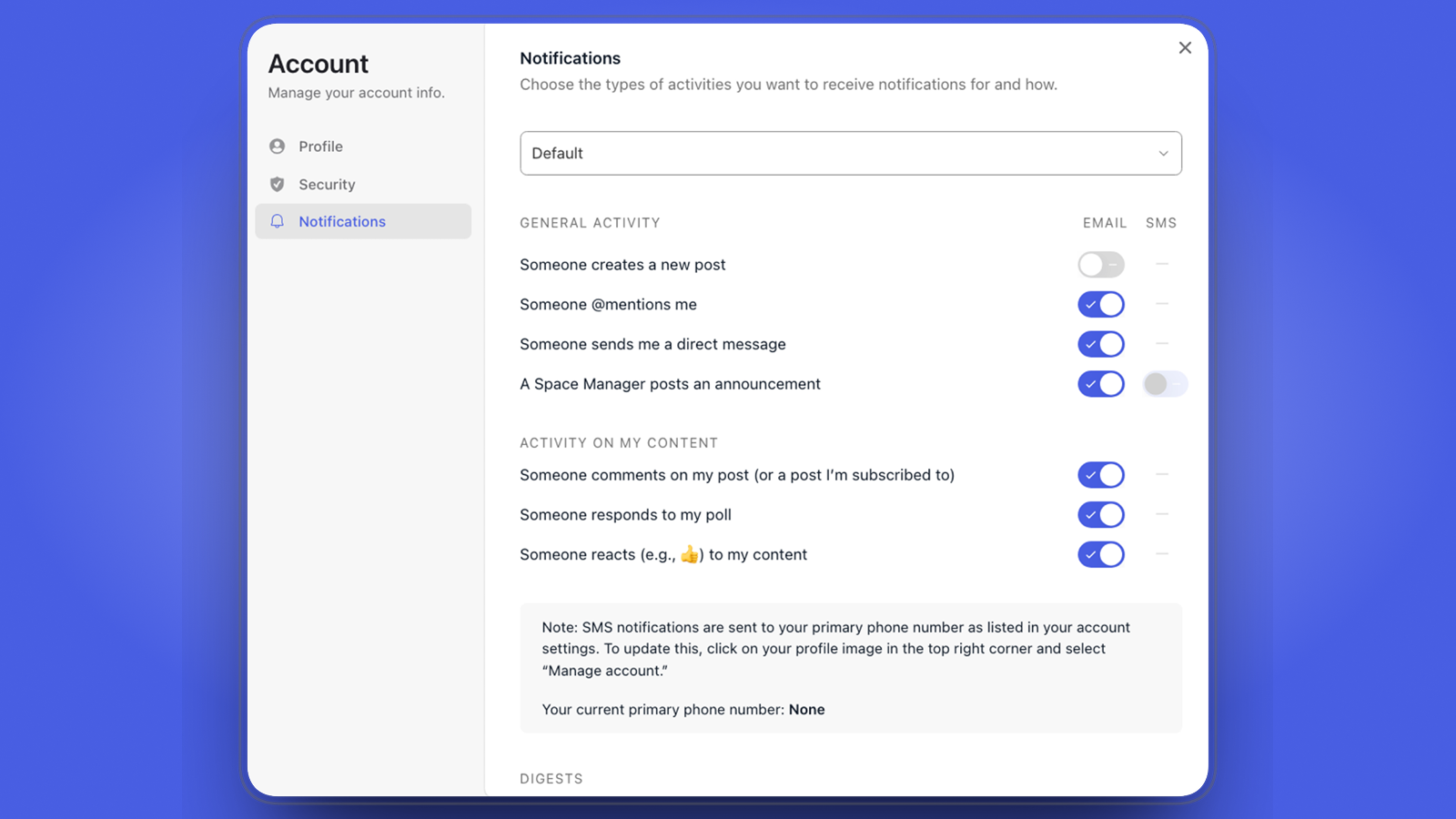
Email notification preferences can now be set independently for each space you're a member of. If you want one space to email you about everything and another to email you only about announcements, you can finally do that. Your existing preferences carry over as the default for each space, and you can adjust from there.
Replacement resources
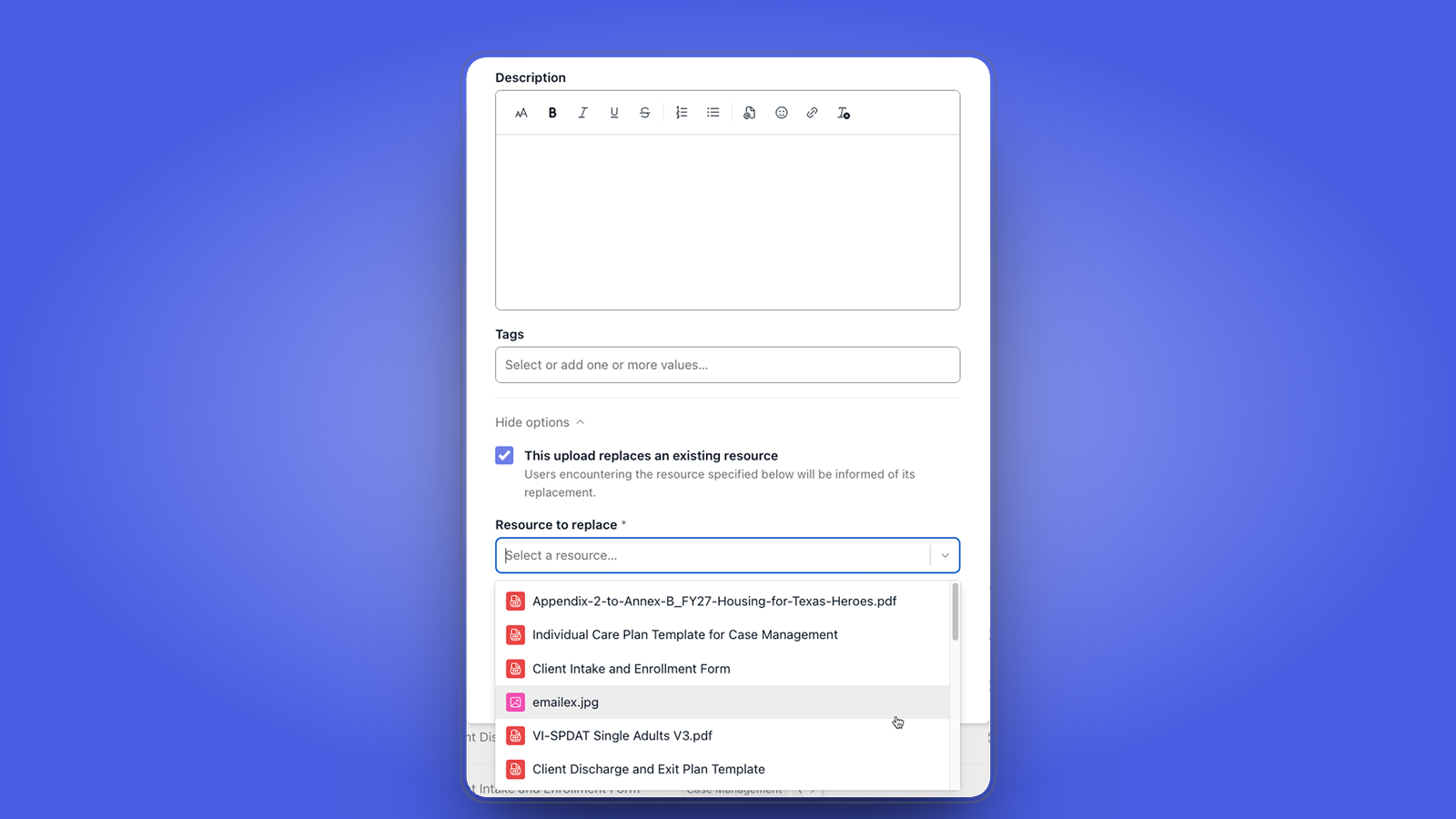
Building on March's resource archiving feature, you can now point members to a newer version when retiring an older one. When deleting or archiving a resource, choose a "replacement" resource to link the two together. If a member encounters the deleted or archived resource — through search, an old post, or a saved link — they'll be guided to the replacement. This makes lifecycle management of resources much smoother and reduces dead ends for members.
CRM workflow improvements
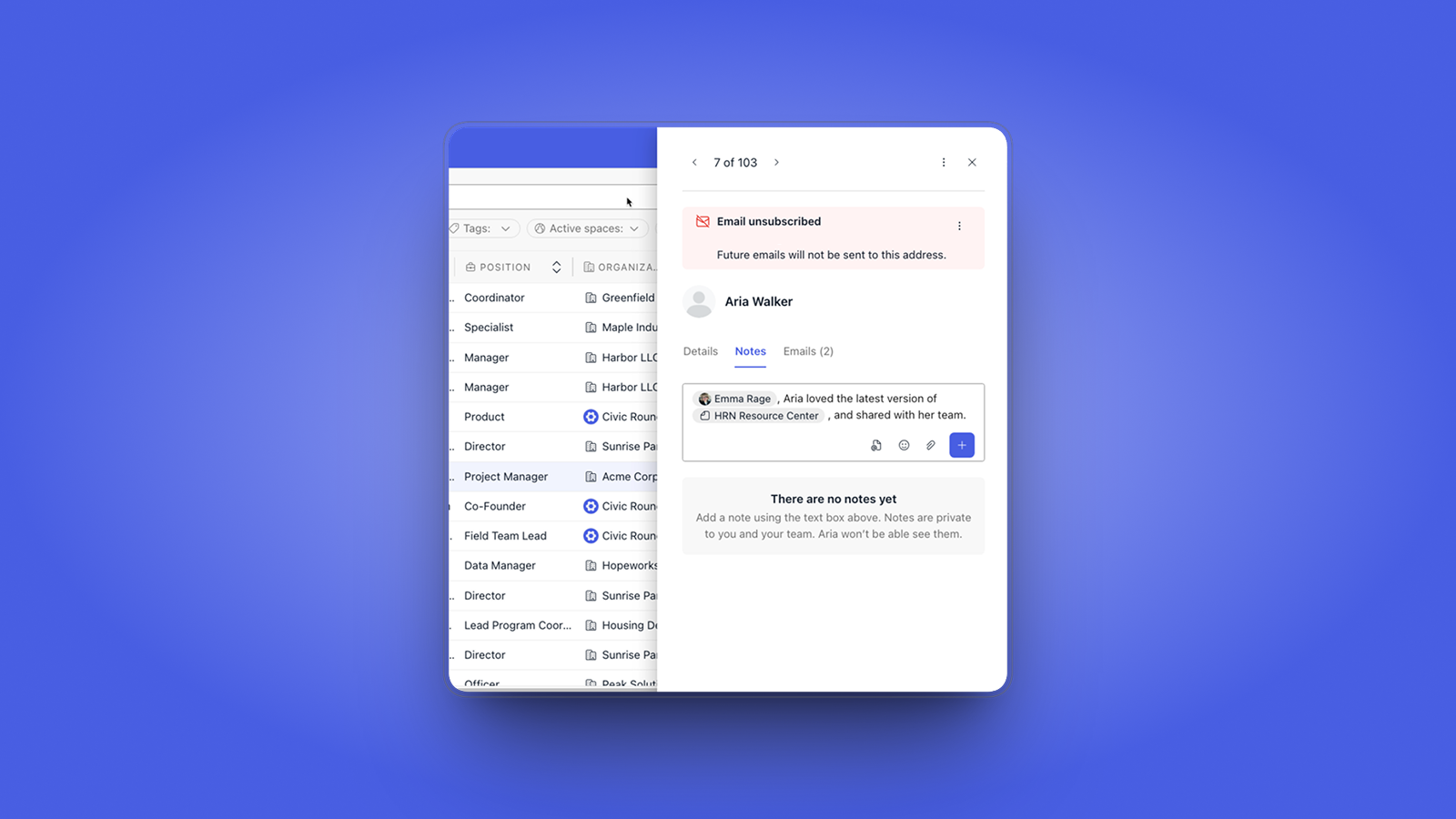
Roundtable's CRM got several major upgrades to make person and organization tracking more flexible and collaborative:
- Rich text in notes — including @ mentioning teammates
- Email notifications for @ mentions — when a teammate is mentioned in a note, they get notified
- File attachments on notes — adding flexibility to what you can capture per person/organization
- Subscriptions — subscribe to a person or organization to receive emails whenever new notes come in
- Reply by email — respond to CRM email notifications to create notes back on the CRM thread
- Rich text in list descriptions — CRM list descriptions now support rich text as well
Enhancements
Improvements to the platform that make it more powerful and easier-to-use.
- [📋 CRM] CRM emails can now preview attachments in-app.
- [📋 CRM] Importing an organization CSV into a list now adds existing orgs to the list, instead of skipping them.
- [📄 Documents] Documents shared with spaces are now available in analytics.
- [📄 Documents] When sharing a document, you can now choose to notify folks, similar to Google Docs.
- [📄 Documents] @ mention a document regardless of which space you're in. If the space you're mentioning it in doesn't have view access, the popover lets you know (if you're an editor/owner of the doc).
- [📄 Documents] Document search results and popovers now include sharing info.
- [📅 Events] Event cover photos, attachments, and recurrence settings are now behind small inline links to make the event form feel more approachable.
- [🧑🤝🧑 Member mgmt] Space Managers can now invite to multiple spaces at once from within the space member directory, mirroring how global member invite works.
- [🧑🤝🧑 Member mgmt] Responses to membership requests in the space member directory can now include invitations to other spaces, mirroring how global member invite works.
- [🧭 Navigation] Multi-selects no longer sort selected values alphabetically — they now maintain the order in which you selected them.
- [🧭 Navigation] Assorted icon updates to improve consistency and ease maintenance.
- [📚 Resources] New option to download all resources within a collection.
- [📚 Resources] Resource descriptions now automatically remove white space and empty paragraphs before and after the content.
Fixes
Issues addressed to improve the product experience.
- [📄 Documents] Document editor no longer shows duplicated avatars after refreshing the page.
- [🧭 Navigation] Empty state popovers now appear next to their trigger (instead of in the middle of the screen).
- [🧭 Navigation] Selecting from a dropdown pick-list on phones now correctly selects the item, instead of creating a new one.
- [🧭 Navigation] Select menu drop-downs no longer block their last option from the viewport.
- [🧭 Navigation] New filter selects no longer break between or within words.
- [📰 Posts] Comment buttons are now always bottom-aligned.
- [📚 Resources] Bulk downloading resources that include an "external link" resource no longer fails — it now just skips the links.
- [📚 Resources] Resource descriptions are no longer cut off in collections.
- [📚 Resources] Searching for emojis in the collection form works again.