August 2026 Release Notes
Features, enhancements, and fixes released by Civic Roundtable in August 2026.
Highlights
AI Answers now searches every space you belong to at once, so you no longer have to guess where the answer lives.
Link notes directly to an event, so the record of what was discussed and decided lives with the meeting itself.
Conditional questions in Forms
Show follow-up questions only to the respondents they apply to.
Events shared as posts are now easier to use, with no duplicate titles, no double entries in the roundup, and a preview of the event in email.
Cross-space AI Answers
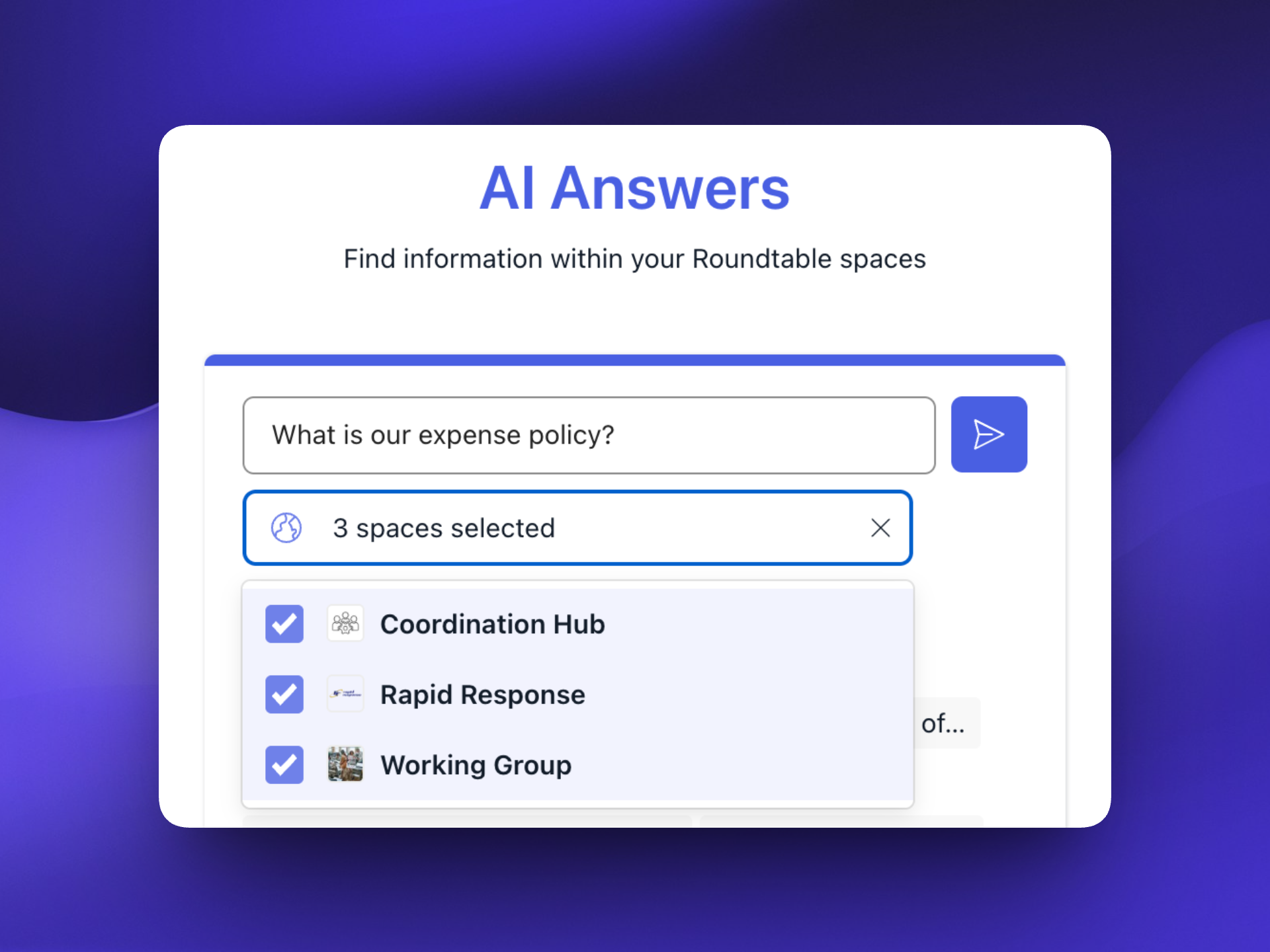
Until now, every AI Answers thread was limited to a single space, picked from a spaces dropdown before you started. That meant you had to already know which space held the answer, and a wrong guess returned nothing even when the answer was sitting in another space you belong to.
AI Answers is now scoped to the individual member rather than to a specific space. A new thread searches everything you have access to, across every space you're in.
- Cross-space by default: new threads query all content available to you, with no space selection required.
- Optional space filter: you can still narrow a query to specific spaces when you want focused results, and adjust the filter on follow-up messages within the same thread.
- Permissions are unchanged: AI Answers only ever surfaces content you already have access to. This widens the search, not your access.
Meeting notes on events
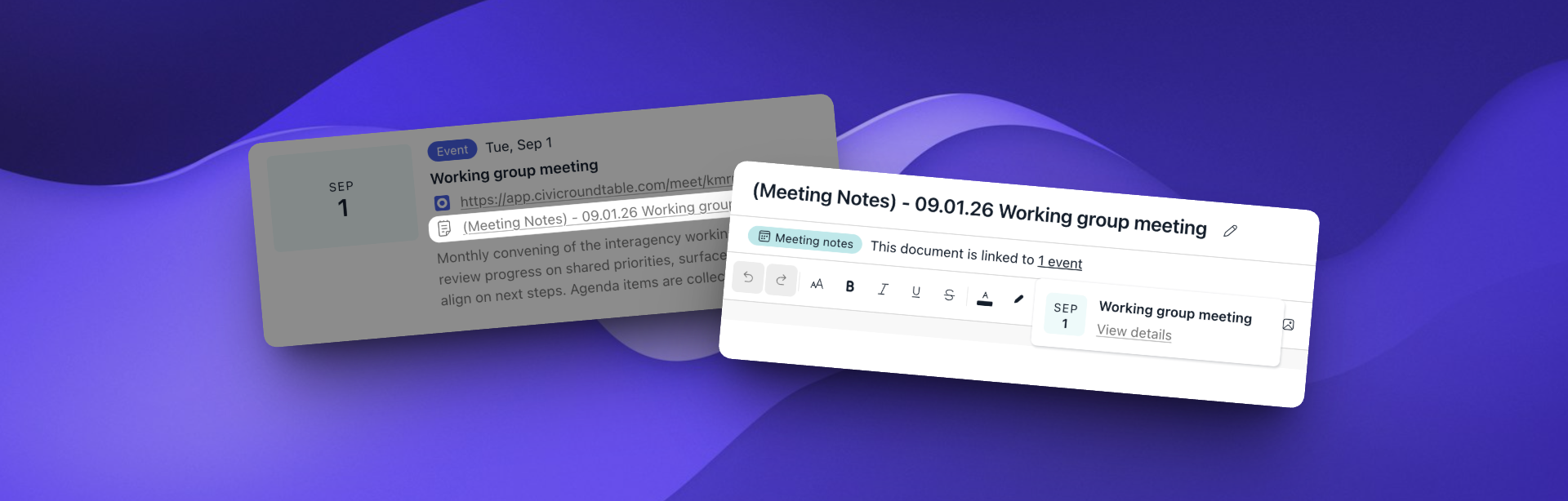
A lot of the work on Roundtable happens in meetings — office hours, working groups, standing check-ins — and meeting notes are often what comes out of them. Notes keep the people who couldn't attend in the loop, and they're how decisions get formally recorded. Until now, connecting notes and events took manual work: create a document, then go back and edit the event description to mention it. Notes and events can now be directly linked to one another. The result is that an event on Roundtable becomes a durable record of the meeting: agenda beforehand, notes afterward, all in one place that anyone in the space can find later.
- Optional on any event: Create a new Roundtable document instantly, or link an existing internal or external file.
- Access handled for you: When you create a meeting note document, the event's space is automatically granted view access, so attendees can read it without having to ask.
- Visible from both sides: The linked event appears on the Roundtable document itself.
- Wherever events appear: Notes show up alongside events in popovers, on the standalone event page, and in the event list.
Conditional questions in Forms
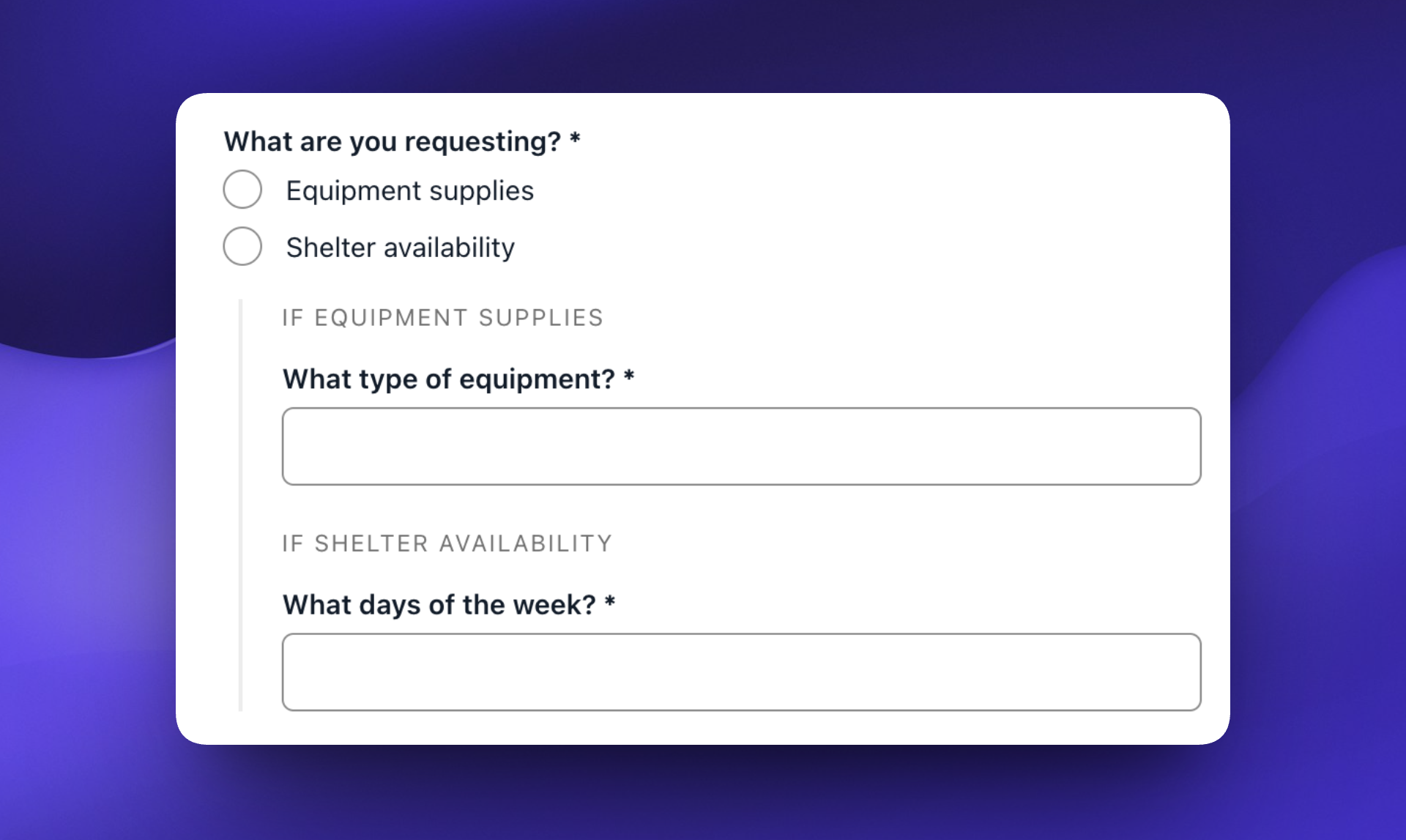
You can now mark a question as conditional on another question's answer, so it's shown only to the respondents it applies to. Ask "Do you use a mail vendor?", for example, and only the people who answer "Yes" see the follow-ups about which vendor they use and when the contract renews.
In the form builder, create a new question, pick the parent question, then pick the answer that should reveal it. The conditional question nests underneath its parent, and respondents see it only if they select that option. Respondents get a shorter, more relevant form, and form creators still get depth from the people it applies to in one form instead of several.
Sharing events in the feed
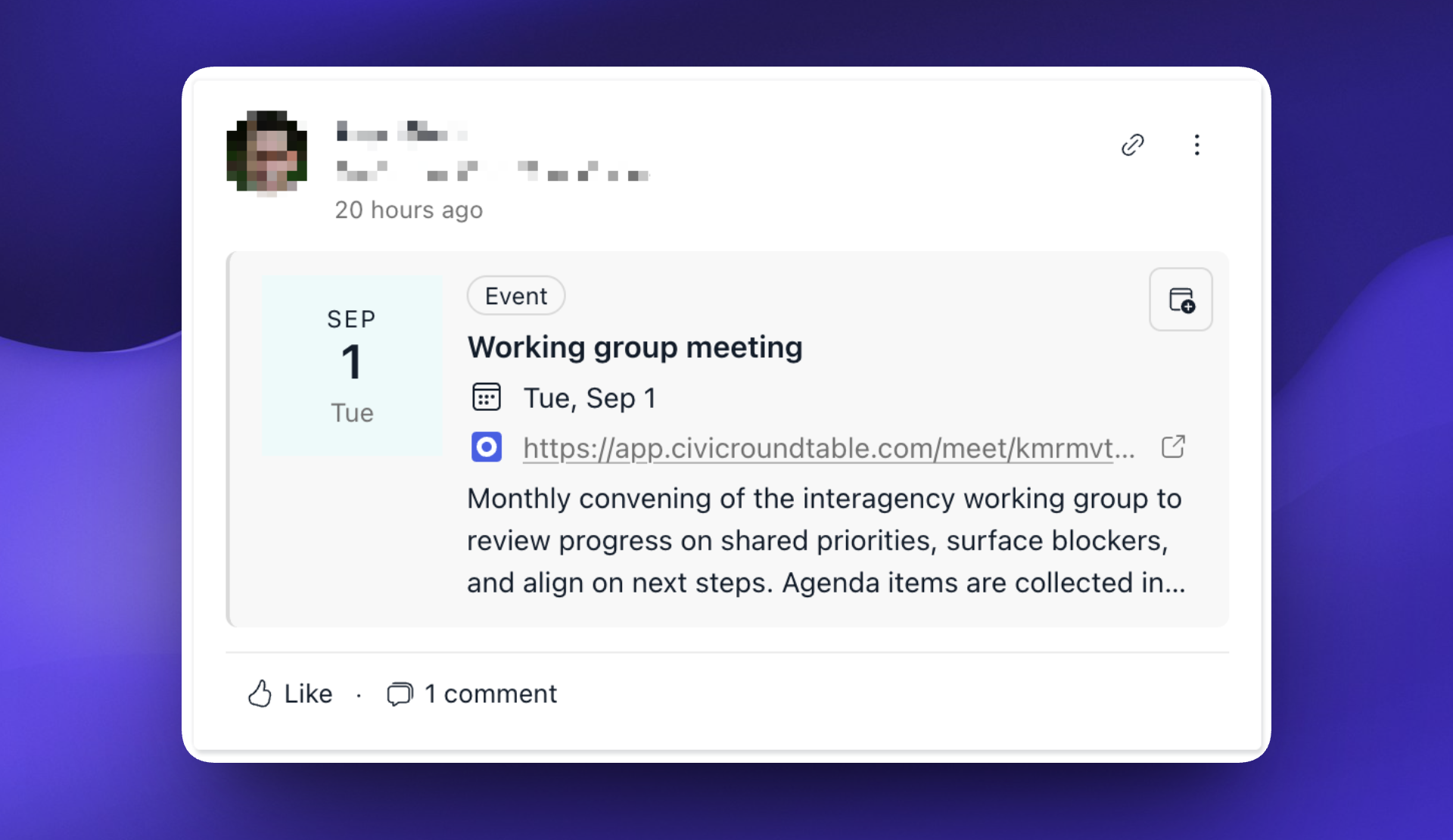
Events shared in the feed have been rebuilt. Selecting "Also share event as a post in the feed" when you create an event now creates a post built around the event itself. That post can be commented on and pinned like any other post, while the event remains the single source of truth for details and resources. Because the event - not the post - is what appears in search and AI Answers, results no longer double up. You can also mention multiple events in one post and have those events display previews on the post. New post email notifications for events shared in the feed include a preview of the event as well, so recipients can see what it is and when it's happening before clicking through.
Enhancements
Improvements to the platform that make it more powerful and easier-to-use.
- [📊 Analytics] Analytics CSV exports now include the space name in the file name.
- [📋 CRM] Custom fields now support three new types: Date, Number, and CRM User.
- [📋 CRM] Email performance stats can now be filtered by recipient email status.
- [📄 Documents] Documents are now available in AI Answers.
- [📄 Documents] Documents now display a preview when mentioned on a post.
- [📅 Events] The event details page has an improved layout.
- [📝 Forms] Copy across the form builder, settings, and respondents views has been updated for clarity.
- [📝 Forms] Form collaborators can now always submit responses, even when they aren't in the form's audience.
- [📝 Forms] Form CSV exports now include a submission ID column.
- [📝 Forms] Forms now display a preview when mentioned on a post.
- [🧑🤝🧑 Member mgmt] Space Managers can now bulk-approve membership requests from Members → Needs Review.
- [📰 Posts] Link previews are now removed automatically when the link is removed from a post.
- [📰 Posts] The "Cross-post to other spaces" field is now called "Spaces".
- [⚙️ Space Admin] Uploaded files flagged by malware detection are now quarantined and blocked from download.
- [🎥 Video Meetings] The video meeting hosts picker now shows member email addresses, matching the pickers in Messages and CRM.
Fixes
Issues addressed to improve the product experience.
- [📋 CRM] The "To" field in the sent email view no longer appears empty when one of the recipients has since been deleted.
- [📄 Documents] Documents containing copy-pasted embedded images can now be exported.
- [🧭 Navigation] The browser back button now consistently renders the previous page, instead of only changing the URL.
- [📰 Posts] The feed's Organization filter no longer offers filter options based on organizations that were only mentioned in welcome posts.
- [📇 Profiles] The Notification settings tab no longer redirects to the About page when you reach your own profile by username.
- [📇 Profiles] The onboarding "Location" field now shows an error state when it's left empty.
- [📚 Resources] Empty form and resource descriptions no longer render as blank gaps in resource popovers.
- [📚 Resources] "Mark as replacement for an existing resource" can now be unchecked after the "More options" section has been collapsed.
- [📚 Resources] The "More options" section in resource uploads now expands automatically to display validation errors.
- [📚 Resources] XLSX previews now open at the top-left of each sheet, even when the file specifies a different starting viewport.