Custom Login Page
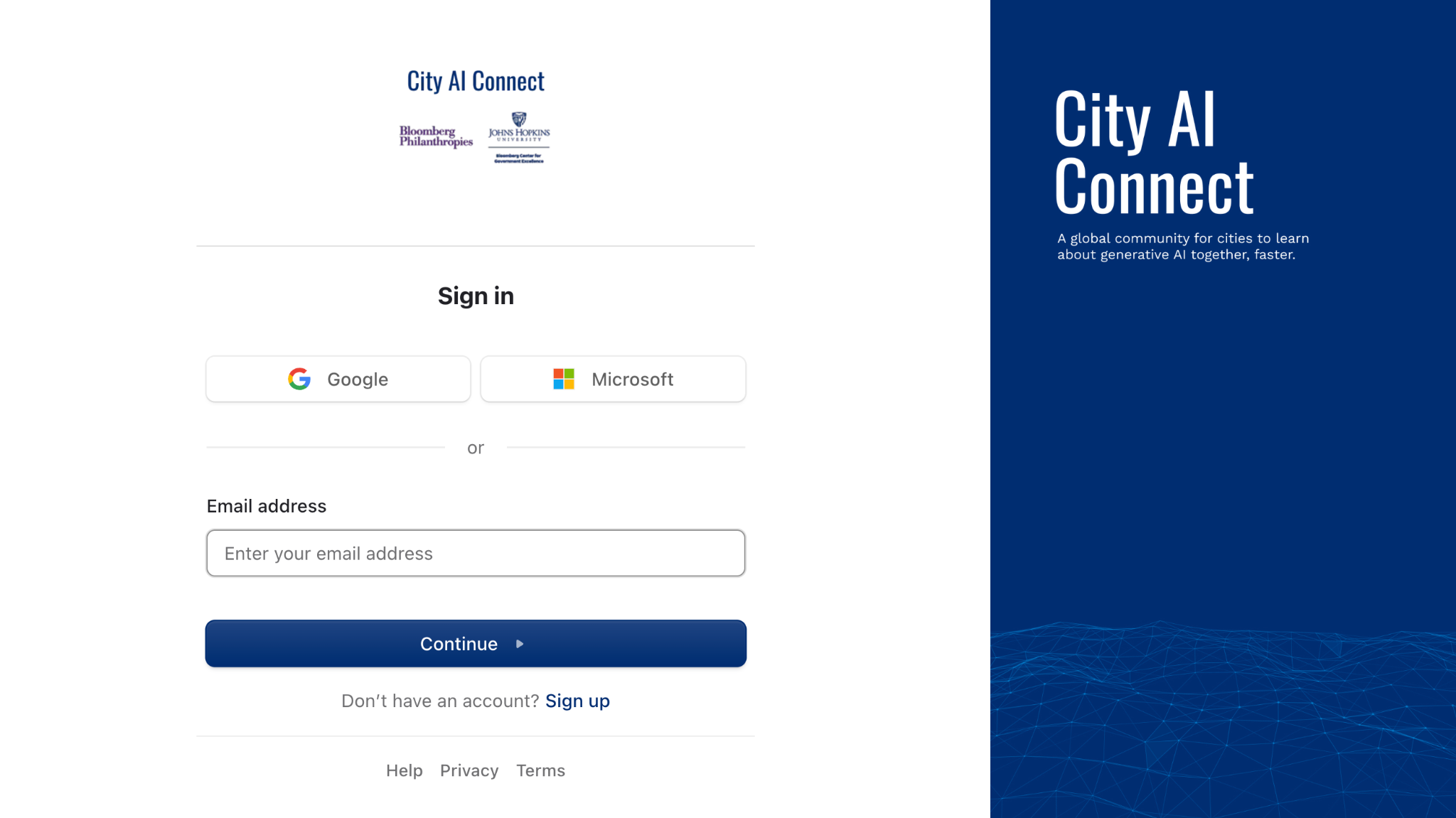
Roundtable can create a branded sign-in page for your organization with your logo, your colors, and your imagery. Members who visit your custom page see your branding every time they sign in or create an account, which makes Roundtable feel like part of your ecosystem.
✨ What you get
- A custom URL you can share with members by email or link to from your own website
- A branded sign-in and sign-up experience using your logo, colors, and imagery
- Optional automatic space placement — new members who sign up through your page can be added as pending in a space of your choosing
- Optional custom legal terms shown at sign-up
📋 What we need from you
Send us the following and we'll build the page.
|
Item |
What to send |
Notes |
| Custom URL slug | A short identifier, e.g. your-org-name | Letters, numbers, and hyphens only. Your page will live at https://app.civicroundtable.com/sign-in/your-org-name |
| Logo | Square image, ideally 400 × 400px | Appears on the left side of the page |
| Hero image | Portrait or square, ideally 1200 × 1200px |
Fills the right half of the screen. This is the asset that most often needs a second pass, so it's worth getting right the first time:
|
| Button color | A hex code, e.g. #1A73E8 | Used for the sign-in and sign-up buttons — usually your primary brand color |
| Additional legal terms (optional) | The text to display, or a link to your terms | If your organization requires members to acknowledge specific terms, policies, or agreements at sign-up, we can display custom legal text on your login page. Members will see this text when creating their account. |
| ✨ RT Tip: Ask whoever owns your brand assets for the square version of your logo specifically. The horizontal lockup most organizations use on letterhead doesn't work in this layout. |
🚀 How to get started
Reach out to your Roundtable contact, or email support@civicroundtable.com, to request setup. Once we have your assets we'll configure the page and send you the URL to share with your members.
| ✨ RT Tip: If you're launching a new space, request the custom login page before you send your first invitation email. Members who land on a branded page from the very first click are noticeably less likely to email you asking whether the invitation is legitimate. |
❓ FAQs
Does this replace the standard login page?
No. app.civicroundtable.com keeps working as normal. The custom page is an additional branded entry point you can direct your members to.
Can we change the assets later?
Yes — email support with the new files and we'll swap them.
Can new members signing up be automatically added to a space?
Yes. Tell us which space, and members who sign up through your page will be placed there as pending for a Space Manager to approve.